

Why is choosing web hosting for affiliates harder than it looks?
Every host sells the same promise: a low monthly price, "unlimited" resources and a 99.9% uptime guarantee. Choosing web hosting for affiliates and agencies is rarely that simple. The advertised price usually requires a long upfront term, the renewal price is higher, and the features a review site or a client portfolio needs are spread across different plans.
Pick the wrong plan and the cost shows up later. It arrives as a renewal invoice you did not budget for, a free domain that renews at full price, a backup you cannot restore at 2 a.m., or a plan capped at one site the week you sign a second client. Moving a live site to fix any of that costs a weekend.
This guide gives you the criteria to compare hosting plans on your own, before you pay. It does not rank hosts, and it does not score them.
Our connection to Hostinger. AdminToolz is hosted on Hostinger, on an account we pay for. That is a material connection, and it is the reason Hostinger appears in this guide as an example. When we link to a host, the link may be an affiliate link, as our affiliate disclosure explains. A commission never decides what we write.
How we built this guide
We did not run speed or uptime tests for this guide, so you will not find performance figures here. What you will find: the questions worth asking before you commit, the places where hosting terms usually hide the real conditions, and a checklist you can apply to any plan. The way we test and score software is described on our review methodology page.
What does your site actually need from a host?

Start with the site, not with the host. A single WordPress review blog, a set of funnel pages and a portfolio of client websites do not need the same plan. Most buying mistakes come from choosing a plan before answering this question.
WordPress is the default choice for most review sites, and the numbers explain why. According to W3Techs usage data (checked September 30, 2026), WordPress runs 40.2% of all websites and 58.7% of the sites whose content management system is known. At that scale, almost every host supports it. The real question is not whether a plan runs WordPress, but how well.
| Your situation | What matters most | Plan type to look at first |
|---|---|---|
| One review or affiliate blog on WordPress | Renewal price, one-click WordPress install, automatic backups, free SSL | Shared or managed WordPress hosting |
| Funnel and landing pages built in a page builder | Whether the builder already hosts your pages, and how you connect your domain | Often a domain only, sometimes no hosting at all |
| Several client websites (agency or freelancer) | Number of sites allowed, separate access per client, backups per site | Higher shared tiers, cloud or agency plans |
| Hosting resold to clients under your brand | Reseller terms, white-label panel, client billing | Reseller hosting |
The second row surprises many affiliates. A page builder that publishes pages on its own servers may already cover what you planned to buy hosting for. Before you pay for a hosting plan to run funnels, check what your builder includes.
If you are building a review site, you need a host. If you only need a squeeze page and your page builder hosts it, the hosting is already included in your builder plan: you may only need a domain, or none at all if the builder's free subdomain is enough to start. A domain on its own never displays a page. Know which one you are buying.
Shared, managed WordPress, cloud or reseller: which hosting plan type fits?
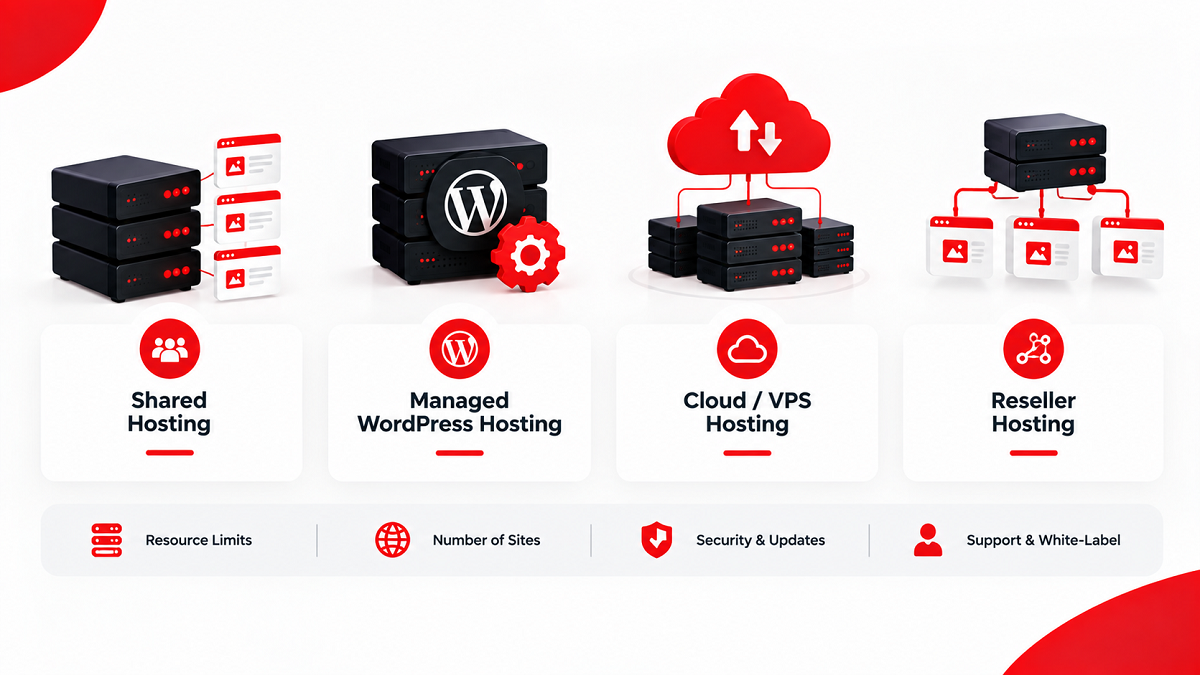
Hosts name their plans differently, but most offers fall into four families. The label on the sales page matters less than what the plan includes, so read each family as a starting point for your comparison.
| Plan type | How it works | Usually a fit for | Check before buying |
|---|---|---|---|
| Shared hosting | Your site shares a server with other customers | A first review site, a small blog, a beginner budget | Resource limits, number of sites, renewal price |
| Managed WordPress hosting | The host handles WordPress updates, caching and often backups | Owners who want less technical work | Which plugins are restricted, how many installs are allowed |
| Cloud or VPS hosting | Dedicated resources on virtual servers | Growing sites and agencies with several busy client sites | Whether it is managed or unmanaged, who handles security updates |
| Reseller hosting | You rent hosting and resell it to your own clients | Agencies that bill hosting as a service | White-label options, your responsibility for client support |
What to watch across all four families:
- A plan called "business" or "pro" is a marketing label. Compare the limits written in the plan details, not the names.
- An unmanaged cloud or VPS plan leaves server security and updates to you. If you do not want that job, budget for a managed plan.
- Reseller hosting makes you the first line of support for your clients. The host supports you, not them.
- Many entry plans cap the number of websites. An agency that starts on one of them usually upgrades within months, so check the upgrade price at the same time.
For a solo affiliate with one or two sites, a shared or managed WordPress plan is usually enough to start. For an agency, the number of sites and per-client access decide the plan more than raw speed.
What will web hosting for affiliates really cost after the first term?
The monthly price on a hosting sales page is almost never the price you pay month to month. It is typically an average, charged upfront for a long term, and it applies to the first term only. The renewal price that follows is the number that decides your real cost.
To compare two hosts fairly, calculate the total over the period you realistically plan to stay:
- Note the promotional price and the term it requires (for example 12, 24 or 48 months), then multiply to get the amount charged upfront.
- Find the renewal price for the same plan. It is usually in the plan details, the checkout page or the terms of service, not in the headline.
- Add every paid extra you need: domain renewal after a free first year, privacy protection, email accounts, extra backups, a CDN or a security add-on.
- Add the renewal term to reach your comparison period, for example three years, and compare the totals, not the monthly prices.
- Write down the date you checked. Hosting prices change often, and a price without a date cannot be trusted a month later.
This is the same logic we apply to software launches: the front-end price is only the entry point, and the real cost includes everything that follows.
| Cost line | Where to find it | Question to ask |
|---|---|---|
| Promotional price | Pricing page | Which term does this price require, and is it charged upfront? |
| Renewal price | Plan details, checkout, terms of service | What will I pay per month after the first term? |
| Free domain | Plan details | Is it free for the first year only, and what does it renew at? |
| Backups | Plan comparison table | Are daily backups included, or a paid add-on? |
| Plan details | How many mailboxes are included, and are they free after the first year? | |
| Refund | Terms of service | How long is the refund window, and does it cover the domain and add-ons? |
A cheaper first year can cost more over three years. Do the math once, and you only do it once.
How to read uptime guarantees, "unlimited" and other hosting promises
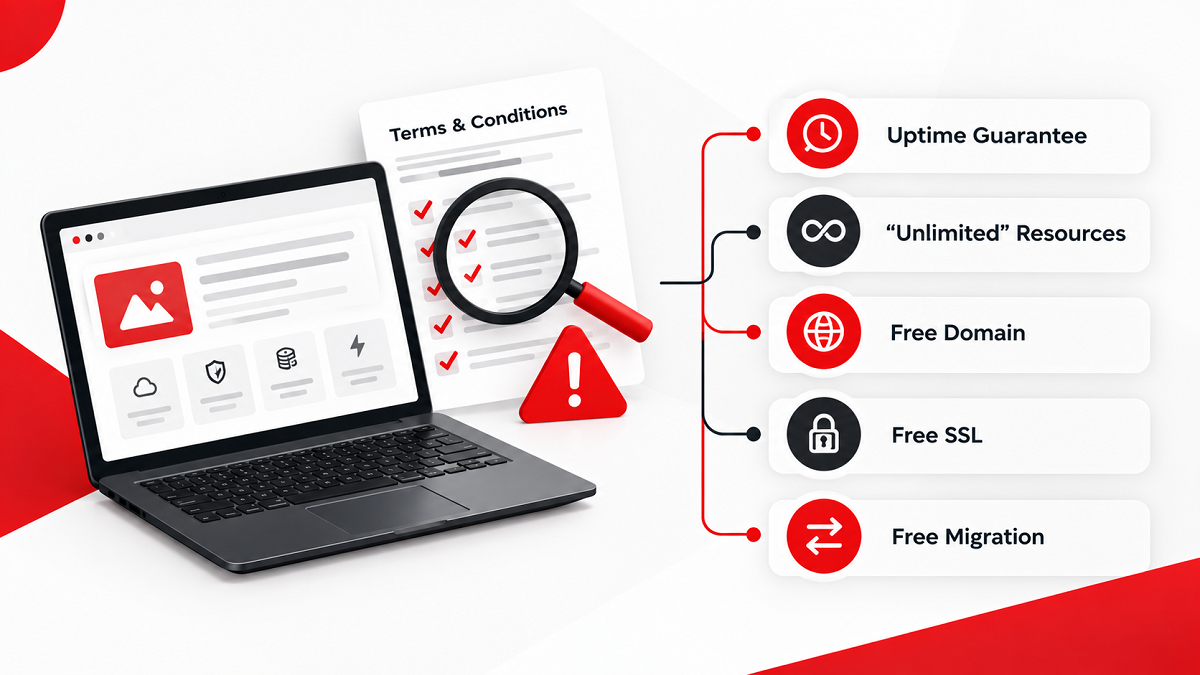
Hosting sales pages repeat the same handful of promises. Each one is usually true under conditions written somewhere else. Read the promise, then find the condition.
The uptime guarantee
A "99.9% uptime guarantee" is a commitment, not a measurement. When a host does not meet it, the remedy is often a service credit on your account rather than a refund, and scheduled maintenance is often excluded from the calculation. Look for the service level agreement (SLA) or the uptime section of the terms of service, and check how you must claim the credit.
If uptime matters to you, measure it yourself. A free uptime monitoring service can check your site every few minutes and alert you by email. Many hosts also publish a public status page listing past incidents, which tells you more than any guarantee.
"Unlimited" storage, bandwidth or websites
"Unlimited" usually means "unmetered under a fair use policy". The terms may cap the number of files (often called inodes), CPU usage or database size, and a site that exceeds them can be throttled or suspended. Find the fair use or acceptable use policy and read the limits in numbers.
The free domain, free SSL and free migration
- Free domain: often limited to the first year and to annual or longer terms. The renewal price applies from year two.
- Free SSL: widely included today, often through Let's Encrypt, a nonprofit certificate authority that issues free certificates. Check that it renews automatically, so your site does not show a security warning one day.
- Free migration: may be limited to one site, to certain plans, or to sites under a size limit. Ask before you rely on it.
None of these conditions is a trick in itself. They become a problem only when you discover them after paying.
Which features matter for an affiliate review site or client sites?
Feature lists on hosting pages run to dozens of lines. When you compare web hosting for affiliates and agencies, a short list decides most outcomes. Use it to cut the comparison down to what you will actually use.
- Automatic backups with self-service restore: check how often backups run, how long they are kept, and whether you can restore one yourself without opening a ticket.
- Staging environment: lets you test a theme or plugin change on a copy of the site before it goes live. Valuable for review sites that are updated often and for client work.
- One-click WordPress install and updates: saves setup time and keeps the core up to date. Before you buy, compare the plan with the official WordPress hosting requirements (checked September 30, 2026), which recommend PHP 8.3 or greater and HTTPS support.
- Number of websites and databases: the first limit an agency hits.
- Free SSL with automatic renewal: a basic trust requirement for any page that collects emails or sends buyers to an offer.
- Server location: a data center close to your main audience shortens the wait before the first byte arrives. Google's web.dev guide to Time to First Byte treats 0.8 seconds or less as good. For a site aimed at the United States, the United Kingdom, Australia and Canada, check which locations the host offers.
- Caching and CDN options: included on some plans, paid on others.
- Access for team members or clients: agencies need to give a client or a freelancer access to one site without sharing the whole account.
- Email hosting: useful for a professional address, but many site owners use a separate email provider. Do not pay for it twice.
Server speed is not a detail. The 2025 Web Almanac by HTTP Archive found that only 44% of mobile websites had a good Time to First Byte (TTFB), the delay before the server starts sending a page, up from 42% in 2024. Hosting, caching and server location all weigh on that number, which is why they belong on your checklist.
What to watch: a feature listed on the plan comparison page may be a paid add-on at checkout. Compare the checkout summary, not the feature grid.
How do support, backups and migration hold up when something breaks?
Hosting is judged on the bad day. Your site goes down during a launch, a plugin update breaks the layout, or a client's site is hacked. On that day, three things matter: how fast support answers, whether a backup restores cleanly, and whether you can move if you have to.
Test support before you pay
Most hosts offer pre-sales chat. Use it as a free test. Ask a precise question, such as the renewal price of a specific plan or how many sites the plan allows, and note how long you waited and whether the answer was precise. A vague answer before you buy is rarely followed by a better one after.
Test a restore early
A backup you have never restored is a hope, not a backup. In your first week, restore a backup of a test page or a staging copy. You will learn where the button is and how long it takes before you need it under pressure.
Plan the exit on day one
Keep your domain easy to move, keep a recent full backup outside the host, and note your DNS settings. A migration done calmly takes hours. A migration done during an outage takes days.
Domains: registration, renewal, privacy and transfers
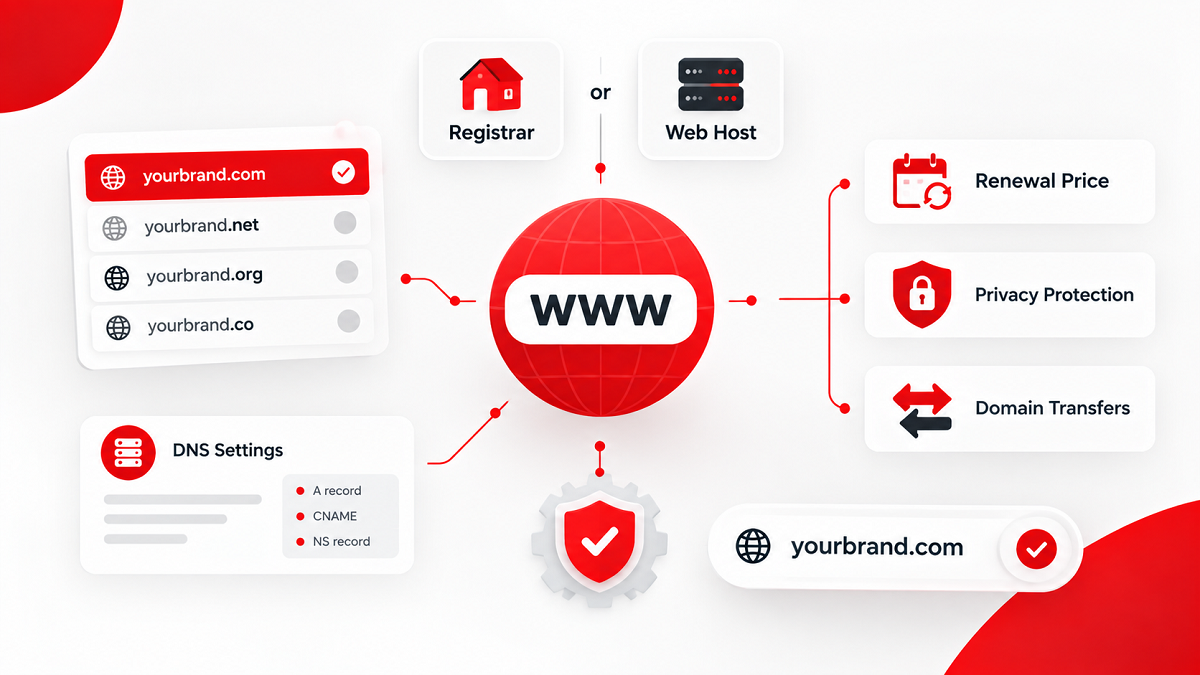
Your domain is the one asset that should never be trapped. Hosting can change; the domain carries your brand, your links and your search rankings. Treat it with more care than the hosting plan.
Host or separate registrar?
You can register the domain with your host, often free for the first year, or with a separate registrar. Keeping them together is simpler to manage. Keeping them separate means a problem with the host never touches the domain. Either works, as long as the domain account is in your name and you can log in to it.
Renewal price and privacy
Domain prices follow the same pattern as hosting: an introductory price, then a renewal price. Compare renewal prices, since you will pay them every year. Check whether privacy protection, which hides your personal contact details from public lookup records, is included or charged separately.
Transfers and the 60-day rule
For generic domains such as .com, transfers between registrars follow ICANN's Transfer Policy. Under the version published on ICANN's Transfer Policy page (checked September 30, 2026), a registrar can refuse a transfer during the first 60 days after registration or after a previous transfer, and a change of registrant can trigger a 60-day transfer lock unless you opt out before the change. ICANN has approved changes to these rules, so check the current policy before you plan a move. Country-code domains, such as .co.uk or .com.au, follow their own registry's rules.
In practice: if you register a domain today, plan to keep it at the same registrar for at least two months.
Connecting a domain to your site or page builder
Connecting a domain means pointing its DNS records to the service that hosts your pages. With a host, that is usually the host's nameservers. With a page builder, it is often a specific record the builder gives you.
Where AdminToolz is hosted, and what that does not prove
AdminToolz runs on Hostinger. We chose it for our own site, we pay for the account, and we have used it for more than six months. Our plan is Cloud Professional, which cost $19.99 per month for the first year. The renewal price shown in our account is $47.99 per month.
That gap is the renewal effect described earlier in this guide, on our own bill. Twelve months at the first-year price come to $239.88. Twelve months at the renewal price come to $575.88, about 2.4 times more. That second figure is the one to budget for from day one.
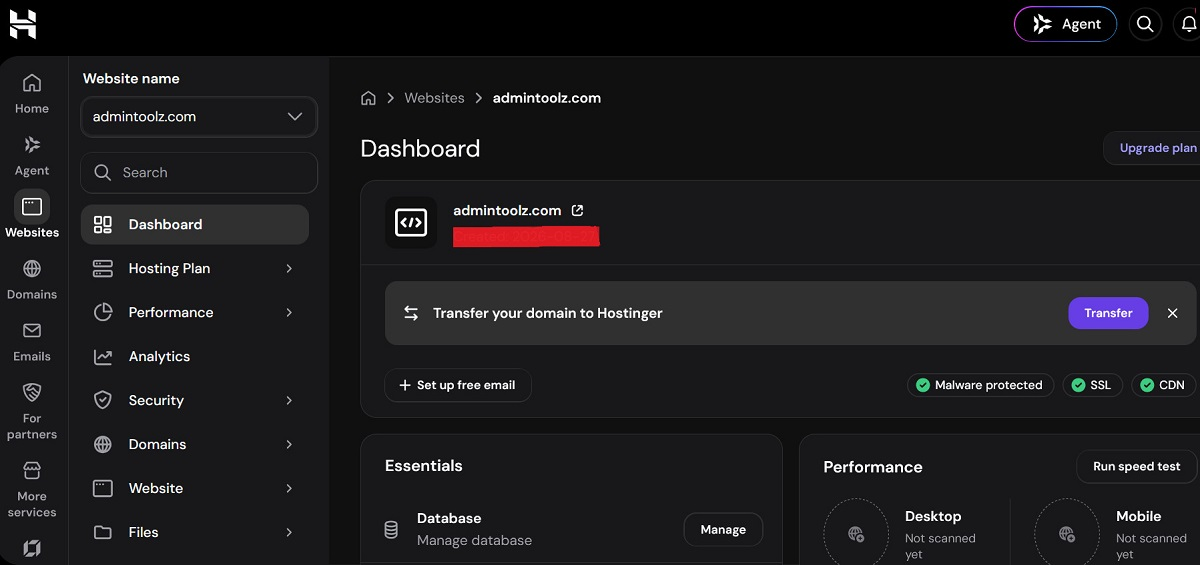
What that proves: we use the host we mention, and what we write about its control panel, setup and billing comes from our own account. What it does not prove: that Hostinger is the right host for you. We have not run long-term uptime or speed monitoring, so we publish no performance figures and no score for Hostinger or any other host.
We are documenting our setup, costs and first months in a dedicated article, which will appear in our Hosting & Domains category. It will follow the same rule as every page on this site: what we saw in our account is written as fact, and what we read on the sales page is written as the vendor's claim.
A checklist before you pay for hosting
Run through this list for every plan on your web hosting shortlist. It takes about fifteen minutes per host and replaces most of the reading on sales pages.
- Write down what you are hosting: one site, several client sites, funnel pages or a reseller offer.
- Check whether your page builder already hosts your pages before you buy hosting for them.
- Note the promotional price, the term it requires, and the amount charged upfront.
- Find the renewal price for the same plan and calculate the total over three years.
- List every paid extra you need: domain renewal, privacy, email, backups, CDN.
- Read the fair use policy and the limits behind "unlimited".
- Find the uptime terms and the host's public status page.
- Check backup frequency, retention and self-service restore.
- Check the number of sites allowed and the upgrade price.
- Ask pre-sales support one precise question and note the waiting time.
- Read the refund window, and what it excludes, in the terms of service.
- Make sure the domain account is in your name, and note the transfer rules.
A plan that passes all twelve points is worth considering. A plan that fails the renewal or backup points usually costs more than it saves.
Where to go next in this hosting guide
This page is the starting point of our guides on web hosting for affiliates and agencies. Each guide linked from it answers one question in detail, from our own Hostinger setup to connecting a domain and moving a site without downtime. New guides are added to the list at the end of this page as we publish them, and you can browse everything in the Hosting & Domains category.
Whatever host you choose, the vendor's pricing page, the renewal price and the terms of service on the day you buy outrank anything written here. Check them there before you pay.
Everything in this guide
1 in-depth page covering each part of the topic.