
Hostinger review: what we use, for how long, and how we scored it
This Hostinger review is based on our own account. We have run the Cloud Professional plan for more than six months, and it hosts more than ten websites, including four blogs that publish every week. Our verdict: for someone running many sites without server skills, the plan is worth it. The two weak spots we met are slow domain registration and clumsy cron job management, and the renewal price deserves your full attention before you buy. We wrote it for affiliates and small agencies choosing a host for several sites at once.
Our connection to Hostinger. AdminToolz itself is hosted on Hostinger, on the plan reviewed here. The Hostinger links on this page are referral links: if you buy through one, you get a discount and we may receive a referral reward, as our affiliate disclosure explains. That connection does not change what we report below.
How we scored it. We score software on a published five-criteria grid. For this Hostinger review, the scores come from six months of daily use on more than ten sites, not from uptime or speed monitoring, so you will find no performance figures here. Everything below comes from our own account, or is attributed to Hostinger's own pages.
- Ease of use (10/10): we manage more than ten sites from hPanel without server commands, and we restored backups ourselves during migrations.
- Output quality (8/10): the plan carried more than ten sites, including four weekly blogs, for six months. We have no uptime or speed measurements, so this score reflects daily use, not monitoring.
- Accuracy of sales claims (8/10): the features we used, such as daily backups, the CDN and email, were there as listed. Cron jobs are listed too, but managing them was not smooth, and the free domain and mailboxes are free for the first year only.
- Value for money (6.5/10): fair for more than ten sites, but in our account the renewal price is three times the first-year price.
- Support and stability (8/10): more than ten sites have run on the plan for six months, and Hostinger announced planned maintenance by email in advance. We have not documented a support request for this review, so this score rests on stability and maintenance communication.
We are far from the only ones on it. In W3Techs' quarterly hosting data (checked September 30, 2026), Hostinger's share of all websites grew from 1.4% in April 2023 to 4.9% in April 2026. Popularity says nothing about whether the plan fits your sites, which is what the rest of this review covers.
This article is part of our guide to web hosting for affiliates and agencies, which explains how to compare any host before you pay.
What does Hostinger Cloud Professional cost, before and after renewal?
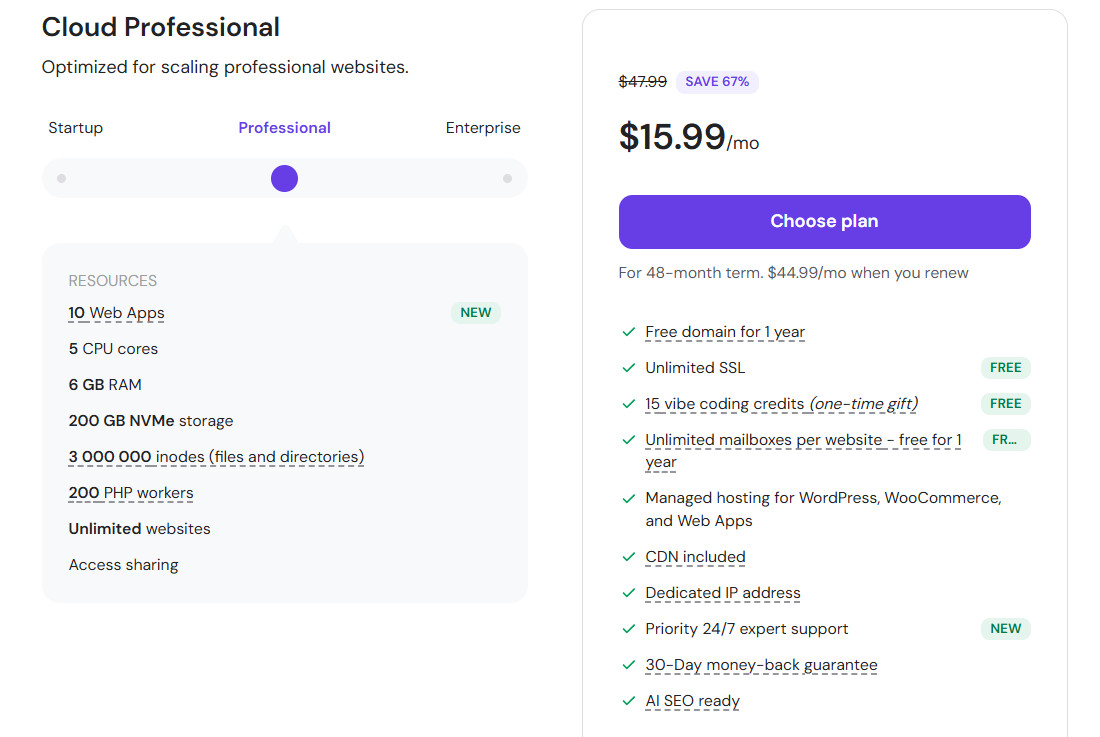
We paid $15.99 per month for the first year of Cloud Professional. The renewal price shown in our account is $47.99 per month.
Over twelve months, that is $191.88 at the first-year price and $575.88 at the renewal price, three times more. The second figure is the one to budget for. It is still reasonable for more than ten sites, but it is not the price on the banner.
Four conditions on Hostinger's pricing page (checked September 30, 2026) matter for your own math:
- Hostinger states that all plans are paid upfront, and that the monthly rate is the total divided by the number of months in the term.
- The page lists prices without VAT, so your invoice can be higher depending on where you live.
- The free domain and the included mailboxes are listed as free for one year. Plan for their renewal too.
- "Unlimited" features are subject to Hostinger's Fair Usage Policy, so read the limits before you count on them.
The plan lineup also moves. On the day we checked, the pricing page showed a cloud plan called Cloud Startup and a separate agency range that includes a Professional tier, with different prices from the ones we paid.
Hostinger's referral program page (checked September 30, 2026) says referred buyers get 20% off. Our Hostinger referral link applies that discount to your first plan at checkout. It does not apply to the renewal price.
What we run on it: more than ten websites and four weekly blogs
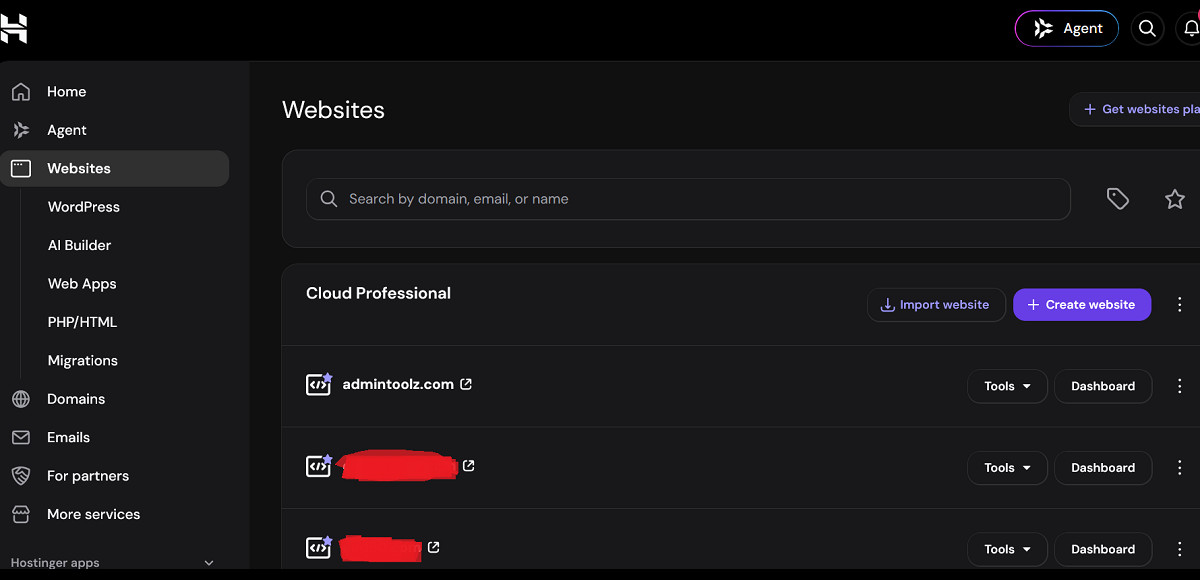
A host is easy to like with one quiet site. Our account is busier than that. It runs more than ten websites, and four of them are blogs that publish new articles every week, which means daily logins, new media and regular backups.
That load is the reason we chose a cloud plan rather than an entry shared plan. Entry plans often cap the number of websites, and our pillar guide explains why that cap is the first limit a multi-site owner hits. For a single small blog, Cloud Professional would be more plan than you need.
So read this review with that profile in mind: a solo operator or a small team running a portfolio of sites, not a developer running custom applications.
Which Hostinger features did we actually use in six months?
Hostinger's pricing page lists dozens of features. Below are only the ones we used ourselves, with what we saw.
hPanel: server management without commands
hPanel is Hostinger's own control panel. We manage all our sites from it: files, databases, SSL, backups and email. You do not need to know server commands or how to move files over SSH to run a site, and that is its main strength for non-technical owners.
Daily backups, tested during real migrations
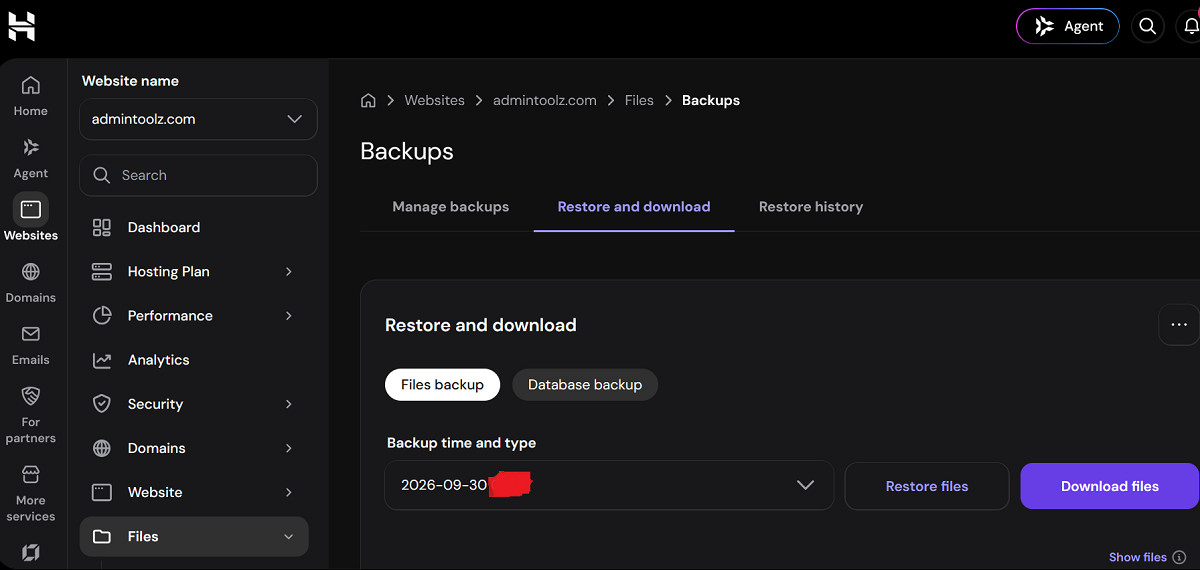
The plan runs daily backups. We did not only trust the setting: we used these backups several times, including to migrate some of our websites. That is the test that matters, because a backup you have never restored is only a hope.
CDN and the built-in speed test
The CDN serves copies of your site from servers closer to each visitor, which is designed to cut load times for visitors far from the main data center. We enabled it on our sites. The dashboard also includes a speed test for mobile and desktop, which is a quick way to check a page after a change without leaving hPanel.
We did not run our own before and after measurements of the CDN, so we give no speed figures here.
Why the speed test is worth using: the 2025 Web Almanac by HTTP Archive found that only 44% of mobile websites had a good Time to First Byte (TTFB), the delay before the server starts sending a page. Google's web.dev guide to TTFB treats 0.8 seconds or less as good, so check where your own pages stand after each change.
Maintenance alerts by email
Hostinger emails us before planned maintenance on our server. It sounds minor. With four blogs publishing every week, knowing about a maintenance window in advance lets us avoid scheduling a publication or a migration at the wrong moment. For live uptime and incident updates, Hostinger also runs a public status page.
Custom email addresses on the Starter email plan
We created custom addresses many times with the included Starter email. In our account, it allows 10 mailboxes per domain, for up to 10 different domains.
It works well for normal business use: contact addresses, replies to readers, account sign-ups. We do not use it for newsletters, and we would not recommend it for anyone sending more than about 100 emails a day. For bulk sending, use a dedicated email marketing service.
What do we not like about Hostinger?
Six months of use also surfaced two weak spots. Neither stopped our sites from running, but both are worth knowing before you commit.
Domain registration takes longer
Registering a domain at Hostinger took longer in our experience than at larger registrars we have used, such as GoDaddy. If you register domains often, or need one live the same hour, consider keeping registration at a separate registrar and pointing the domain to Hostinger.
Cron job management is clumsy
A cron job is a task the server runs on a schedule, such as a script every hour. Hostinger's pricing page lists cron jobs among the included features, but setting them up and managing them in hPanel was not smooth for us.
Most review sites and blogs never touch cron jobs. If your project depends on regular scheduled tasks, test this part during the refund window.
What worked and what to watch
What worked in our test:
- One account runs more than ten websites, including four blogs that publish weekly.
- Daily backups that we restored for real, several times, during site migrations.
- hPanel lets a non-technical owner manage files, SSL, backups and email without server commands.
- Maintenance alerts by email help plan publications and migrations around server work.
- Custom email addresses are quick to create for everyday business use.
What to watch:
- The renewal price: $47.99 per month in our account after $15.99 in the first year.
- The free domain and included mailboxes are listed as free for one year only.
- Domain registration was slower than at larger registrars we have used.
- Cron job management is not smooth, which matters only if you rely on scheduled tasks.
- The included email is not built for newsletters or high sending volumes.
If you buy and change your mind, Hostinger's pricing page advertises a 30-day money-back guarantee. Read the conditions in its refund policy before you rely on it, since refund terms can exclude some services.
Who should choose Cloud Professional, and who should skip it?
Choose it if you run several websites, such as a portfolio of affiliate blogs or a handful of client sites, and you want to manage them from one panel without server skills. Daily backups, the CDN and the email included cover most of what a multi-site owner needs day to day.
Skip it if you run one small site, where an entry plan is cheaper, or if your project depends on scheduled tasks, bulk email sending or registering many domains quickly. In those cases, the weak spots above will cost you more time than the plan saves.
Whatever you decide, the price that counts is the renewal price. We paid $15.99 per month for the first year and the renewal price in our account is $47.99 per month; check the current price, term and renewal on Hostinger's page on the day you buy. If Cloud Professional fits your profile, you can get 20% off your first Hostinger plan with the AdminToolz referral link.
Ready to decide? Check the current price and launch offer on the official page.
SEE THE OFFER