
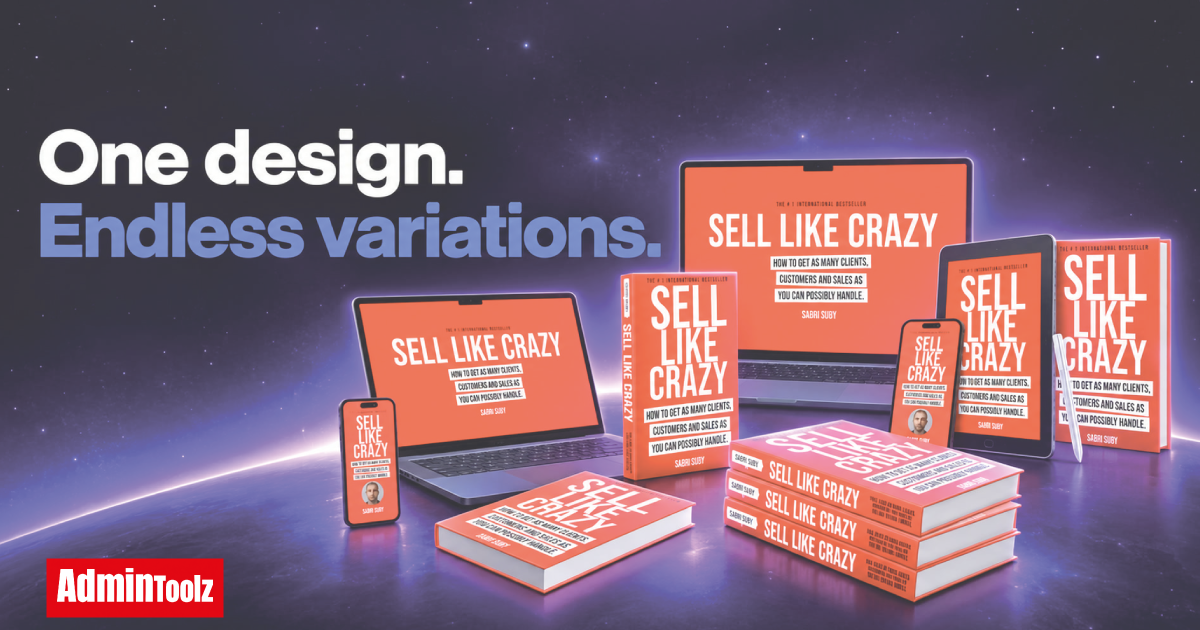
We have not tested ClickDesigns X. We have no account at the time of writing, so this ClickDesigns X review is a pre-launch preview. It is built on two vendor sources, both checked on October 9, 2026: the affiliate JV Doc and the public webinar registration page. The official site, clickdesignsx.com, only shows a countdown until launch. This page carries no score. When we give an opinion, it is about what the vendor has published, not about the software itself.
This preview is part of our guide How to Evaluate a Software Launch Before You Buy: Funnel, OTOs, Refunds and Licenses, and it applies the same checks. Like all our product reviews, it will be updated with a scored, hands-on verdict once we get access.
ClickDesigns X at a glance
| Item | What the vendor says |
|---|---|
| Product type | Graphic design tool with 3D product mockups |
| Marketplace | JVZoo |
| Cart opens | Tuesday, October 13, 2026, 11:00 AM EST |
| Cart closes | Monday, October 19, 2026, 11:59 PM EST |
| Front-end price | $37, one-time during launch week |
| After launch | Monthly subscription (price not published) |
| Upgrades | 5 OTOs, $572 in total |
| Bundle | $397 for the front end and all 5 upgrades |
| Guarantee | 30 days on the front end |
| Tested by AdminToolz | Not yet |
What ClickDesigns X is, according to the vendor
ClickDesigns X is presented as a rebuild of ClickDesigns, a design app that, according to the vendor, has been on sale since 2022 and has more than 34,000 users. We have not verified these figures.
The workflow described in the JV Doc is simple. You pick a done-for-you template or start from a blank canvas, edit it with point-and-click controls, and export logos, covers, boxshots, reports, product bundles and graphics for sales pages, emails, social posts and ads. The vendor says there is nothing to install.
The vendor's sales video sums up the pitch. It is the vendor's own video, not ours:
Video not loading? Watch the ClickDesigns X sales video on Vimeo.
MagicWrap and the 3D Product Studio
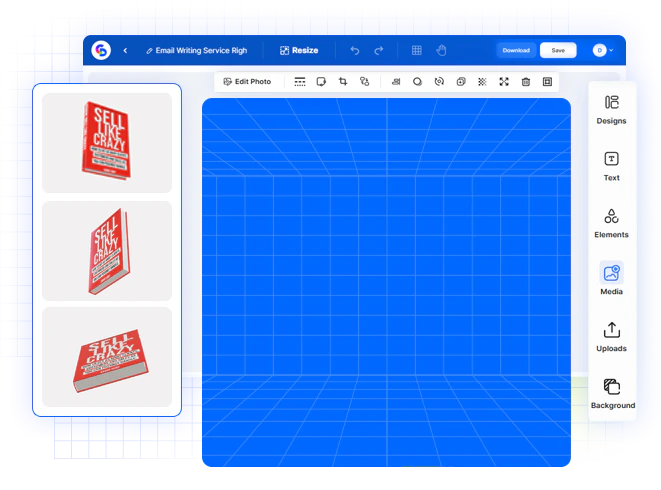
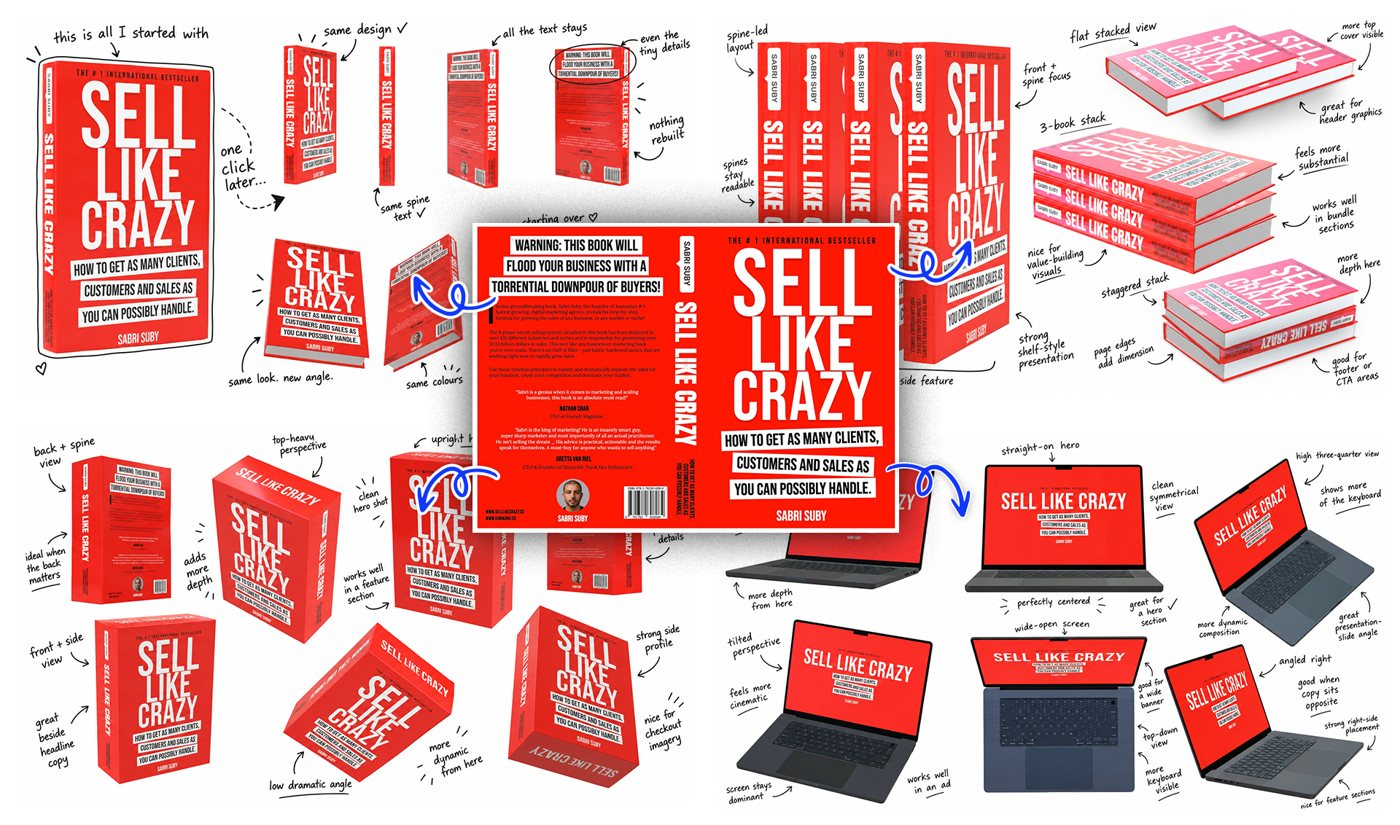
The headline feature of this launch is MagicWrap, inside the new 3D Product Studio. According to the webinar page, you design a flat image once and MagicWrap wraps it onto a 3D product, handling shape, depth and perspective for you. You can then spin, tilt and zoom the product to pick the angle that sells, and set lighting and shadows in a click.
The product shapes listed include book covers, software boxes, laptops, phones, pill bottles, supplement tubs, gummy bottles and droppers. That list tells you who the tool is built for: info-product sellers, software vendors and supplement or cosmetics brands.
Why the vendor positions it against AI image generators
The vendor's main argument is consistency. With an AI image generator, you write a prompt, and the logo can disappear or the text can come out wrong from one render to the next. ClickDesigns X uses no prompt: your artwork is wrapped onto a fixed 3D model, so the logo and text are supposed to stay exactly as you designed them. That is a specific, testable claim, and it is the first thing we will check.
Who ClickDesigns X looks built for
On paper, three kinds of buyers get the most out of it:
- Affiliates and info-product sellers who need ebook covers, software boxshots and bundle images for launch pages and emails, without hiring a designer for each angle.
- Freelancers and small agencies who want to sell mockups to clients. The front end lists a commercial license, and the Agency upgrade adds team access and client management.
- E-commerce and supplement sellers who need product visuals for bottles, tubs and droppers before the physical product is photographed.
It looks less useful if you already produce mockups comfortably in another tool, or if you need real product photography rather than rendered mockups.
Pricing: the full ClickDesigns X funnel
Here is every offer in the funnel, as listed by the vendor before launch:
| Offer | Price | What it adds, according to the vendor |
|---|---|---|
| Front end: ClickDesigns X | $37 | Templates, the 3D Product Studio with MagicWrap, commercial license, 30-day guarantee |
| OTO 1: Maximizer | $97 | Removes the front-end limits: unlimited projects, designs and downloads, 10,000+ premium templates, print-ready output |
| OTO 2: ClickSocials X | $77 | Social media planning and publishing: 2,000+ templates in 44 sizes, content calendar, AI social writer |
| OTO 3: 3D Design Studio X | $97 | Interactive 360° mockups, product videos, looping GIFs and live 3D embeds |
| OTO 4: Agency | $197 | Team access, brand kits, client and project management, watermarking, hosting, Chrome and WordPress extensions |
| OTO 5: AI Turbo | $67 | Generates and auto-sizes ads, banners and social posts from a keyword or a URL |
| Full funnel | $572 | Front end plus all five upgrades, bought one by one |
| Bundle | $397 | Front end plus all five upgrades in one package |
How we read the funnel before testing:
- Maximizer ($97) is the one to watch. It is sold as removing every limit from the front end, which means the $37 plan has limits. Until those limits are published, assume your real entry price could be $134.
- 3D Design Studio X ($97) adds motion. If you only need still images, MagicWrap in the front end should be enough, on paper.
- ClickSocials X ($77) and AI Turbo ($67) are social and ad tools. Skip them if you already use a scheduler or an ad creative tool.
- Agency ($197) only makes sense if you deliver design work to clients with a team.
The bundle: $397 instead of $572
The JV Doc mentions a $100 coupon on the bundle during launch week. It does not say whether $397 is the price before or after that coupon. If it is before, the full package would cost $297. Check the price on the checkout page. The bundle only saves money if you would have bought at least three or four of the upgrades anyway.
What the vendor has not published yet
These are the questions we would want answered before paying. Our guide to evaluating a software launch explains why each one matters:
- What are the front-end limits? Number of projects, designs, downloads and templates on the $37 plan.
- What does the commercial license allow? Selling designs to clients, reselling templates, white-label use. White-label rights are not listed anywhere, even in Agency.
- Are the upgrades refundable? The 30-day guarantee is stated for the front end only.
- What is the monthly price after October 19? It decides whether the one-time launch price is a real saving.
- What are the export formats and resolution? They matter for print, Amazon listings and retina screens.
The vendor also compares the tool with a $2,000 freelancer campaign and $200 a month of stacked subscriptions. Those are the vendor's estimates. Compare against what you actually spend today.
See ClickDesigns X in action before you buy
The vendor has published a front-end demo. It is the vendor's own video. AdminToolz did not record it:
Video not loading? Watch the ClickDesigns X front-end demo on Vimeo.
There are also two free live webinars:
- Monday, October 12, 2026, 2:00 PM EST: pre-launch reveal.
- Tuesday, October 13, 2026, 10:00 AM EST: launch day, one hour before the cart opens.
A demo shows the tool in the hands of the people who built it. It does not show the limits of the $37 plan, so bring the questions above.
Register for the free ClickDesigns X webinar. After the cart opens on October 13, we will point this link to the launch offer.
How we will test ClickDesigns X
Once we have an account, we will score ClickDesigns X with our review methodology. The tests we plan to run:
- time from first login to a first usable 3D mockup, on the $37 plan;
- one design wrapped at five angles, to check that text and logo stay intact;
- export formats and resolution;
- the real front-end limits, compared with what Maximizer unlocks;
- one support request, with the reply time.
If the vendor gives us the review account, we will say so on this page.
Should you buy ClickDesigns X on launch day?
Do not buy in the first hour. The one-time price runs until October 19, so you have six days to watch the demo, ask your questions and read the checkout terms.
If you sell info products, software or supplements and you need product mockups regularly, the $37 front end lets you check the MagicWrap promise yourself, with the 30-day refund window the vendor states for the front end. Decline the upgrades at first. Add Maximizer only if the front-end limits block your real work, and buy the bundle only if you would use most of the upgrades.
If you only need a mockup once or twice a year, a one-time freelance job may still cost you less than the full funnel.
Before you pay, run the checklist from our guide How to Evaluate a Software Launch Before You Buy, and use our free buyer toolkit to add up the full funnel cost and sort each upgrade into buy, wait or skip.
See ClickDesigns X on the official page.
Frequently asked questions
Did AdminToolz test ClickDesigns X?
How much does ClickDesigns X cost?
Is ClickDesigns X a one-time payment?
Is there a refund policy?
Do I need design skills or software to install?
Can I sell the mockups to clients?
Ready to decide? Check the current price and launch offer on the official page.
SEE THE OFFER